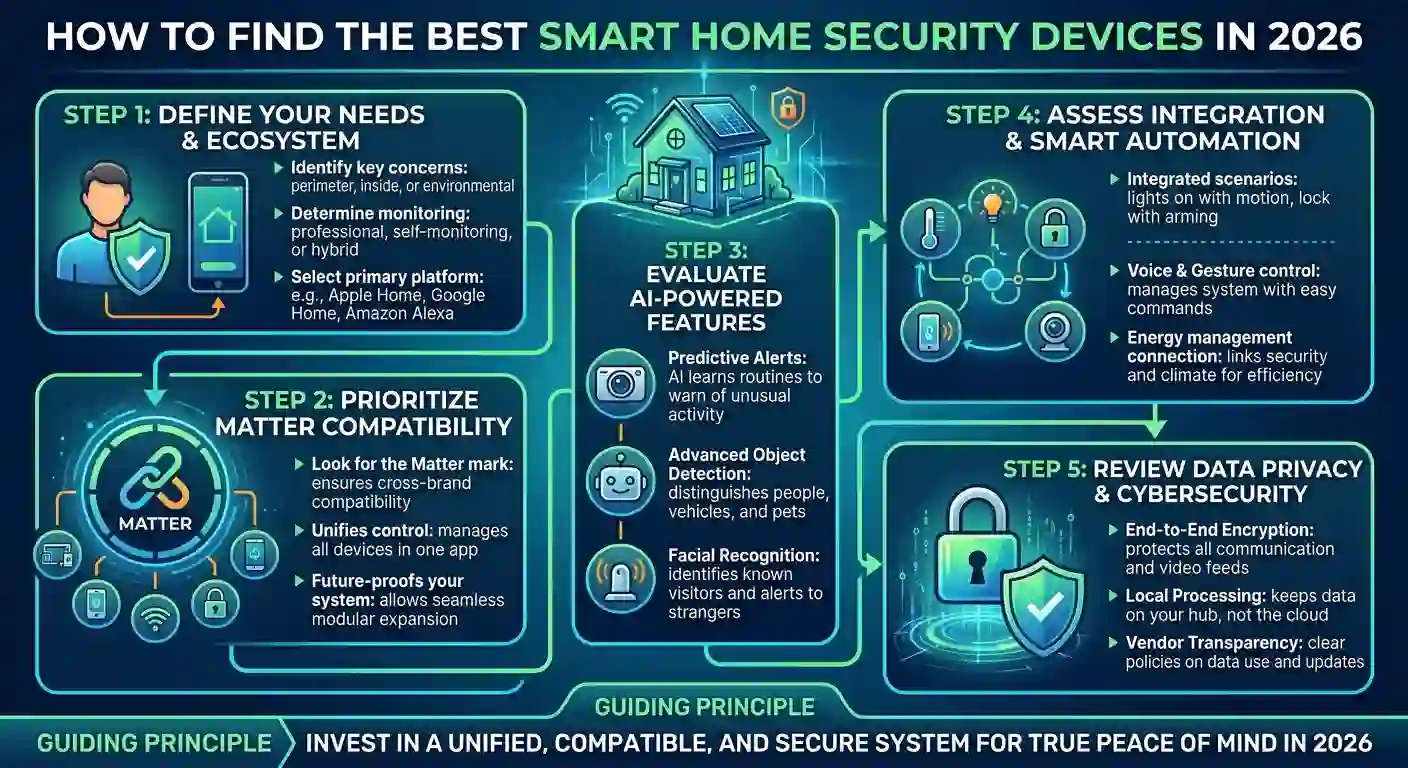
Finding the best smart home security devices in 2026 no longer means buying a single expensive system. Most homes now build protection device by device, adding pieces that work together through a single app, rather than committing to an all-in-one package.
This shift matters because it lets you start small and expand as needed, without a high upfront cost or a long contract. Here are the seven devices worth having and what each one actually does for your home.
None of these require professional installation, and most can be set up in under an hour using nothing more than a smartphone and a Wi-Fi connection.
Why the Best Smart Home Security Devices Matter More in 2026
Break-ins and package theft remain common, but the bigger shift is in what “security” actually covers now. AI-powered detection can now distinguish between a person, a car, and a stray cat, significantly reducing false alerts.
Interoperability has also improved. The Matter standard now lets devices from different brands work together more reliably, so you’re less locked into one company’s ecosystem than you were even a couple of years ago.
According to independent testing by Security.org, smart home integration and AI-based detection have become standard features across most major brands rather than premium add-ons, which is part of why choosing the best smart home security devices now comes down to fit rather than just price.
1. Smart Video Doorbell
A video doorbell is usually the first device most households add, and for good reason. It shows you who’s at the door in real time, whether you’re home or across town.
Modern doorbells also specifically detect package deliveries, sending a distinct alert rather than treating every visitor the same way. Two-way audio lets you speak to whoever’s there without opening the door.
Battery-powered models install in minutes with no wiring, while wired versions offer more consistent power but require some basic electrical know-how or a quick call to an electrician.
2. Indoor and Outdoor Security Cameras
Standalone cameras cover the spots a doorbell can’t, like a backyard, driveway, or hallway. Look for night vision, customizable motion zones, and local storage options if you’d rather avoid a subscription.
If you want home security cameras with built-in monitors, some kits pair a base station screen with the cameras, so you can check the feeds without opening an app.
3. Smart Lock
A smart lock replaces or upgrades your existing deadbolt, adding keyless entry via a code, an app, or fingerprint recognition. Temporary codes for guests or cleaners are one of the more genuinely useful features here.
Battery life and backup entry methods matter more than most buyers expect. A lock that dies without a physical key backup can lock you out of your own home.
Many current models also integrate directly with a security hub, so the door automatically locks whenever the rest of the system arms for the night.
4. Door and Window Sensors
These small, inexpensive sensors detect when a door or window opens, triggering an alert or alarm. They’re often the most overlooked devices on this list, despite covering the most common entry points for break-ins.
Placement matters more than quantity. A handful of sensors on ground-floor entry points does more than a dozen scattered without a clear plan.
5. Smart Smoke and CO Detector
Security isn’t only about intruders. A connected smoke and carbon monoxide detector sends a phone alert even when you’re not home, which a standard detector simply can’t do.
Some models also distinguish between smoke types, reducing false alarms from cooking while still quickly detecting real fires.
6. A Security Hub or Base Station
The hub ties individual devices into a single system, handles alerts and automations, and often serves as a backup connection if your Wi-Fi goes down. This is also where wireless home security systems for renters shine, since most hubs require no drilling or wiring and can be easily moved to a new address.
Look for one with battery backup and, ideally, optional cellular backup, so the system stays online even during a power or internet outage.
Renters in particular benefit from choosing a self-monitored plan over a contract-based one, since it avoids cancellation fees if you move before the lease term matches up with a long service agreement.
7. Outdoor Floodlight or Spotlight Camera
This combines a bright motion-activated light with a camera, covering driveways, side yards, and other areas a standard camera might miss in the dark. The light itself acts as a deterrent before anyone even reaches your door.
Some newer models add active deterrence, automatically triggering both light and sound when they detect a lurker, rather than just recording the event.
How These Devices Work Together

Each device solves a specific problem. Together, through a single hub and app, they form one of the more capable home management systems available, handling alerts, routines, and remote monitoring in one place.
A simple automation might arm your system, lock the door, and turn off lights the moment your phone leaves a set radius from home. None of this requires any technical background to set up on most current platforms.
What to Prioritize When Comparing Options
Not every device on this list needs to be top-of-the-line. Prioritize the categories that address your specific weak points, whether that’s a poorly lit entryway or a door that’s easy to force open.
Check subscription requirements before buying. Some cameras and hubs need a paid plan for cloud storage or advanced alerts, while others store footage locally at no extra cost.
Compatibility matters just as much as features. A device that doesn’t work with your existing smart home platform creates a second app to manage it, rather than a unified system.
Conclusion
You don’t need every device on this list to meaningfully improve your home’s security. Start with the one or two gaps that matter most, whether that’s a doorbell, a lock, or better outdoor lighting, and build from there.
The best smart home security devices are ultimately the ones you’ll actually set up correctly and keep using, not necessarily the ones with the most features on the box.
FAQs
1. Do I need a subscription for smart security devices to work?
No. Many devices, especially cameras and sensors, work with local storage or basic alerts for free, though advanced features like extended cloud recording often require a paid plan.
2. What are the best smart home devices for security on a tight budget?
Door and window sensors and a basic video doorbell offer the most protection per dollar, since they cover common entry points without the cost of a full camera system.
3. Can renters use smart security devices without violating a lease?
Yes, in most cases. Battery-powered, adhesive-mounted devices avoid drilling and typically don’t require landlord approval, though it’s worth checking your specific lease terms.
4. How many devices make up a complete home security setup?
Most complete setups include a doorbell, one or two cameras, door and window sensors, and a hub, though the right number depends entirely on your home’s layout.
5. Are smart security devices actually more effective than a traditional alarm system?
They’re different, not strictly better. Smart devices offer more flexibility and remote control, while traditional professionally monitored systems still lead in guaranteed emergency response times.
Leave a Reply