
A website is one of the most important assets of a modern business. It may store customer information, process payments, manage accounts, and represent your brand online. That also makes it a target for hackers, malware, phishing, and other online threats. Strong website security helps protect your website, your visitors, and your business from costly attacks.
Protecting a website does not always require advanced technical knowledge. Simple steps such as using strong passwords, keeping software up to date, creating backups, installing trusted security tools, and monitoring for suspicious activity can reduce common risks. This guide explains practical ways to protect your website and maintain a safer online presence.
What Is Website Security?
Website security is the process of protecting a website, its files, databases, users, and connected systems from unauthorized access, attacks, data theft, malware, and other threats.
A secure website should protect both the business and its visitors. This includes securing login pages, updating software, protecting customer information, and making sure that only authorized users can access sensitive areas.
How Website Security Protects Your Website
Effective protection can help prevent unauthorized access, data loss, malware infections, and service interruptions. It can also maintain customer confidence by showing visitors that their information is being handled responsibly.
Security works best as an ongoing process rather than a one-time setup. Websites need regular updates, monitoring, backups, and testing because new vulnerabilities can appear over time.
Common Cyber Threats to Websites
Websites can face several types of attacks, including:
- Malware: Malicious software that can damage files or compromise a website.
- Phishing: Fake messages or pages designed to steal passwords or sensitive information.
- Brute-force attacks: Repeated attempts to guess account credentials.
- DDoS attacks: Large volumes of traffic sent to overwhelm a website or server.
- SQL injection: Malicious input used to manipulate database queries.
- Cross-site scripting: Harmful code inserted into webpages to target visitors.
Understanding these threats makes it easier to choose the right protective measures.
Why Does Website Protection Matter?
A security problem can affect much more than your website. An attack may lead to data loss, financial damage, downtime, and reduced customer trust.
Protect Your Website and Customer Data
Businesses may store names, email addresses, account details, order information, or other sensitive data. Strong security controls help reduce the risk of unauthorized access.
Prevent Downtime and Data Loss
A successful attack can make a website unavailable or damage important files. Regular backups and monitoring enable faster recovery when something goes wrong.
Build Customer Trust
Visitors are more likely to trust a website that uses HTTPS, secure forms, reliable payment systems, and professional protection practices.
Support SEO and Business Growth
A hacked website can create poor user experiences, browser warnings, and unexpected downtime. Keeping your site protected helps maintain a stable environment for visitors and online marketing.
How to Protect Your Website from Cyber Attacks
There is no single security setting that protects every website. A layered approach can give website owners confidence that multiple measures work together to defend their site effectively.
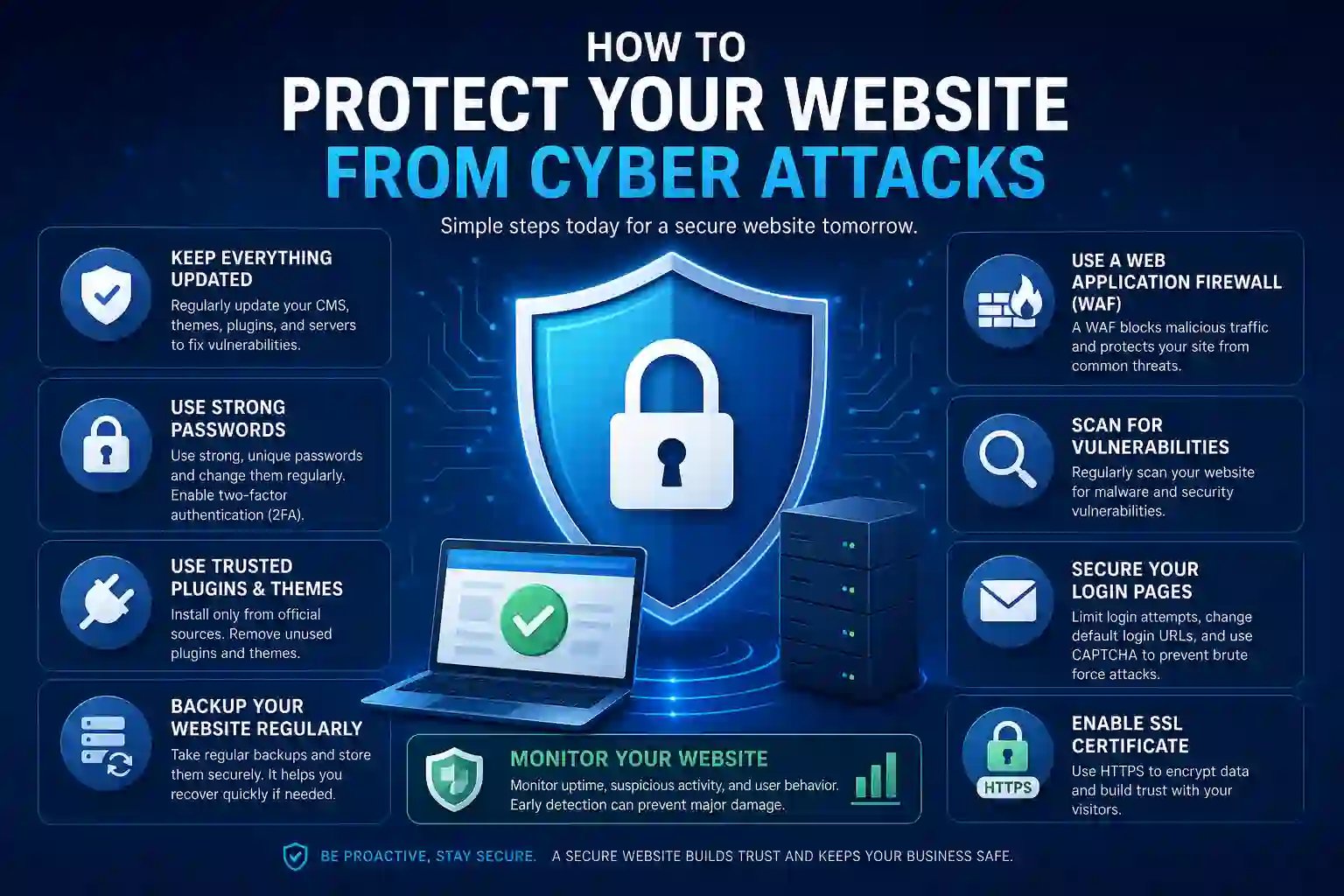
Use Strong Passwords and Two-Factor Authentication
Use long, unique passwords for administrator and user accounts. Avoid reusing important passwords across multiple websites.
Two-factor authentication adds another layer of protection by requiring a second verification method in addition to a password. This can make unauthorized access to accounts much harder.
Keep WordPress, Plugins, and Themes Updated
Outdated software can contain known security vulnerabilities. Update your website platform, plugins, themes, and other components regularly.
Before major updates, create a backup so you can restore your website if an update causes compatibility problems.
Install an SSL Certificate
An SSL certificate enables HTTPS and helps encrypt data exchanged between the website and visitors. It is especially important for websites that collect passwords, contact information, or payment details.
Make sure important pages load securely over HTTPS and avoid mixing secure and insecure content.
Use a Website Firewall
A web application firewall can help filter malicious requests before they reach your website. Depending on the solution, it may block suspicious traffic, automated attacks, and other common threats.
Create Regular Website Backups
Backups are essential because no security system is perfect. Store copies of important website files and databases regularly and, where possible, keep backups separate from the main server.
Test your backups occasionally to ensure they can be restored.
Limit User Access and Permissions
Not every person who works on your website needs administrator access. Give users only the permissions required for their tasks.
Removing old accounts and reviewing permissions regularly can reduce unnecessary risks.
Monitor Your Website for Suspicious Activity
Regular monitoring can help you identify unusual login attempts, unexpected file changes, unknown users, sudden traffic spikes, or other warning signs.
Early detection gives you a better chance of responding before a small issue becomes a major incident.
How to Make Your Website Secure
If you are wondering how to secure your website, start with the basics and build several layers of protection.
Choose Secure Website Hosting
Use a hosting provider with reliable infrastructure, security features, backups, and updated server software. Poor hosting can create performance and security problems even when the website itself is configured correctly.
Remove Unused Plugins and Themes
Unused plugins and themes can pose unnecessary risks, especially when outdated. Remove components you no longer need instead of leaving them inactive.
Protect Your Login Page
Limit unnecessary login attempts, use strong credentials, enable two-factor authentication, and avoid exposing administrator usernames where possible.
Use Secure File and Database Permissions
Website files and databases should only be accessible to the users and processes that require them. Incorrect permissions can make it easier for attackers to modify sensitive files.
Review Software Regularly
Create a routine for checking WordPress, plugins, themes, and other website components rather than waiting for a problem to appear.
How to Secure an E-commerce Website
Online stores face additional risks because they process customer accounts, personal information, orders, and payments.
A secure e-commerce website should use HTTPS, trusted payment gateways, updated software, strong account protection, and regular backups.
Protect Customer and Payment Information
Do not store sensitive payment information unnecessarily. Use reputable payment processors and ensure checkout pages are secure.
Use Trusted Payment Gateways
Well-established payment gateways can provide security features that reduce your website’s need to handle sensitive payment information directly.
Secure Admin and Customer Accounts
Require strong passwords, protect administrator accounts, and encourage customers to use secure login credentials.
Keep Ecommerce Platforms Updated
E-commerce plugins, themes, and platforms should be updated regularly because vulnerabilities can expose customer or order information.
Website Security Audit
A security review can help identify weaknesses that are easy to overlook during everyday website management.
What Is a Website Security Audit?
A security audit is a structured review of a website’s configuration, software, accounts, files, and security controls.
What Does a Security Audit Check?
A review may examine:
- Outdated software
- Weak passwords
- User permissions
- Malware
- SSL configuration
- Security headers
- Backups
- Suspicious files
- Plugin vulnerabilities
When Should You Get a Security Audit?
Consider a security review after a major website change, a suspected attack, a migration, or when you have not checked your security controls for a long time.
Professional website security audit services can be useful for businesses that need a deeper technical review or lack an internal security specialist.
Secure Website Development Best Practices
Security should also be considered during development rather than added only after a website is launched.
Use Secure Coding Practices
Developers should follow secure coding standards and avoid exposing sensitive information in source code.
Validate and Sanitize User Input
User-provided information should be handled carefully before being stored or processed. Proper validation and sanitization can help prevent attacks that exploit unsafe input.
Protect APIs and Databases
APIs and databases should require appropriate authentication and access controls. Sensitive information should not be exposed through publicly accessible endpoints.
Follow the Principle of Least Privilege
Applications, users, and services should have only the permissions they actually need. Limiting access reduces the potential damage if an account or component is compromised.
Website Protection Tools You Should Use
A basic protection setup may include several types of tools.
SSL and HTTPS
Protect data exchanged between visitors and your website.
Web Application Firewall
Filter suspicious requests and malicious traffic.
Malware Scanning
Check files and website resources for known threats.
Backup and Recovery Tools
Create recoverable copies of important website data.
Security Monitoring
Track suspicious activity, login attempts, file changes, and other warning signs.
No single tool can protect every part of a website, so a combination of controls is usually more effective.
How to Detect a Website Security Breach
Recognizing warning signs early can reduce the impact of an attack.
Watch for:
- Unexpected administrator accounts
- Login attempts from unfamiliar locations
- Sudden redirects to unknown websites
- New or modified files you did not create
- Unusual website traffic
- Unexpected pop-ups or spam pages
- Security warnings from browsers or search engines
- Sudden performance or availability problems
If several of these signs appear at the same time, investigate your website promptly rather than ignoring them.
What to Do If Your Website Is Hacked
If you believe your website has been compromised, act quickly.
Isolate the Affected Website
Temporarily restrict access where appropriate to prevent further damage and protect visitors.
Change Important Passwords
Change administrator, hosting, database, email, and other affected credentials. Use unique passwords and enable two-factor authentication.
Scan and Investigate
Check website files, accounts, plugins, themes, logs, and databases for unauthorized changes or malicious code.
Restore a Clean Backup
If a trusted backup exists, restoring the website from a clean version may be safer than manually removing every malicious change.
Identify the Cause
After recovery, determine how the attacker gained access. An outdated plugin, a weak password, a compromised account, or an insecure configuration may need to be addressed to prevent another incident.
How to Maintain Website Security Over Time
Protection is an ongoing process. Create a regular maintenance schedule rather than checking your website only after a problem occurs.
Review your:
- Software and plugin updates
- User accounts and permissions
- Backup status
- Security logs
- SSL configuration
- Hosting environment
- Malware scan results
Regular reviews can help identify problems before they become serious incidents.
Conclusion
Protecting a website from cyberattacks requires ongoing attention rather than a single security solution. Start with strong passwords, two-factor authentication, updated software, HTTPS, backups, controlled user access, and regular monitoring. Businesses that handle customer information or process online payments should take additional precautions and regularly review their protection measures.
A proactive approach reduces common risks and helps create a safer experience for both your business and your visitors. By making protection part of your regular website maintenance, you can respond to threats more effectively and reduce the potential impact of an attack.
Frequently Asked Questions (FAQs)
1. How can I protect my website from cyber attacks?
Use strong passwords, enable two-factor authentication, keep software up to date, install trusted security tools, create regular backups, use HTTPS, and monitor for suspicious activity.
2. How can I make my website secure?
Start with secure hosting, SSL, strong account protection, updated software, restricted user permissions, regular backups, and ongoing monitoring.
3. How often should I perform a website security audit?
A security review should be performed regularly and after major website changes, migrations, suspected attacks, or other significant technical updates.
4. How do I secure an e-commerce website?
Use HTTPS, trusted payment gateways, strong account protection, updated e-commerce software, regular backups, and restricted access to sensitive systems.
5. What are the most common website security threats?
Common threats include malware, phishing, brute-force attacks, DDoS attacks, SQL injection, and cross-site scripting.
Leave a Reply